Product Summary
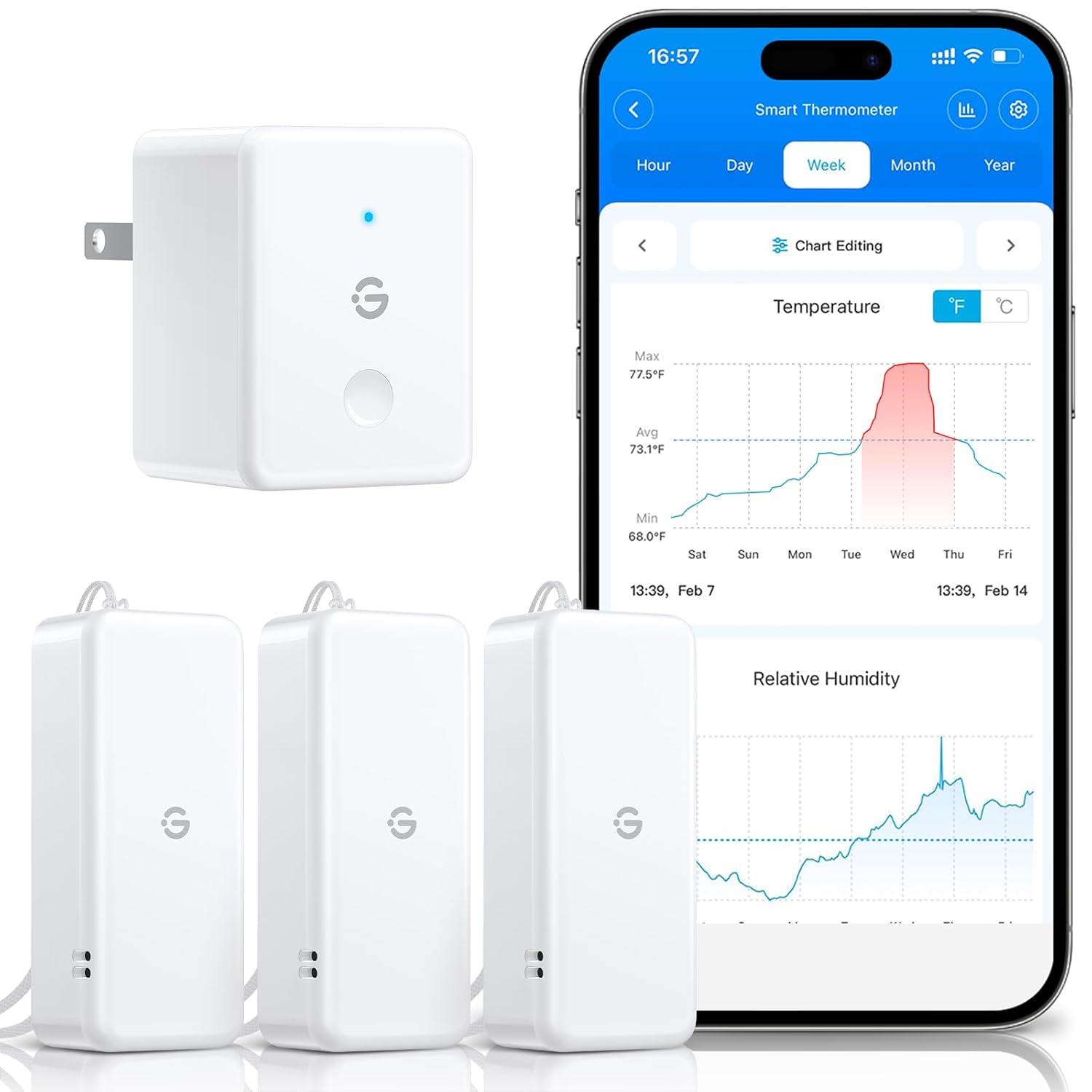
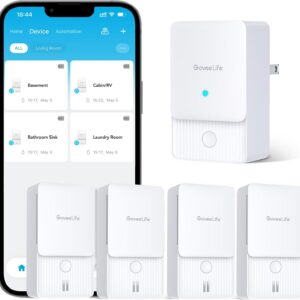
The GoveeLife 2.0 WiFi Hygrometer Thermometer with Gateway is a compact wireless monitoring system designed to track temperature and relative humidity in different areas of your home. The miniature sensor communicates with the included gateway, allowing readings and historical trends to be viewed through the GoveeLife app.
For a healthy-home assessment, this type of monitor can be especially useful because moisture problems are often location-specific. A bathroom, closet, basement, crawlspace, or poorly ventilated bedroom may experience very different humidity conditions than the main living area.
Rather than relying on a single reading from one central thermostat, inexpensive sensors like these make it practical to monitor several locations and look for patterns over time.
💎 HealthyHome.Help Recommendation: Best Value
We consider the GoveeLife system a Best Value option for basic temperature and humidity monitoring.
It does not measure particulate matter, carbon dioxide, VOCs, radon, or other indoor air quality parameters. Its strength is much simpler: providing affordable temperature and humidity monitoring in places where you may not want to purchase a more expensive environmental monitor.
For homeowners trying to understand where moisture conditions vary throughout the home, that simplicity can be an advantage.
Best For
🏠 Homeowners — Monitor humidity conditions in several areas of the home.
🏢 Renters — Small sensors can be placed without permanent installation.
💧 Moisture Monitoring — Helpful for identifying rooms or spaces that regularly experience elevated humidity.
🧰 DIY Users — Provides an inexpensive way to establish a basic home moisture-monitoring network.
📦 Multiple Locations — Useful in closets, bathrooms, bedrooms, basements, crawlspaces, storage areas, and other targeted locations.
💲 Budget-Conscious Monitoring — A practical alternative to placing expensive indoor air quality monitors throughout the entire home.
Why We Like It
- Compact sensors can be placed in locations where larger monitors would be inconvenient.
- Remote app access through the gateway makes it easier to check conditions without physically visiting every sensor location.
- Tracks both temperature and relative humidity, two useful measurements for understanding moisture conditions.
- GoveeLife specifies approximately ±0.54°F temperature accuracy and ±3% RH humidity accuracy for the current smart thermo-hygrometer system.
- Readings refresh frequently, helping users see changing environmental conditions rather than relying on occasional spot measurements.
- Historical data can be viewed and exported through the GoveeLife system, making it easier to evaluate trends over time.
- Additional compatible sensors can allow one gateway to monitor multiple locations.
Things to Consider
This is a temperature and humidity monitor, not a comprehensive indoor air quality monitor.
It does not replace instruments designed to measure:
- PM2.5 or other particulate matter
- Carbon dioxide
- VOCs
- Carbon monoxide
- Radon
- Mold or microbial contamination
Humidity readings should also be interpreted as environmental indicators, not proof that a moisture or mold problem exists.
Wireless communication can also be affected by distance, walls, building materials, and the location of the gateway.
For customers who want a broader picture of indoor air quality, a multi-parameter monitor may be a better primary device. The GoveeLife sensors are often most useful as supplemental monitors placed throughout the home.
Specifications
| Specification |
Details |
| Measurements |
Temperature and relative humidity |
| Connectivity |
Wireless sensor with Wi-Fi gateway |
| Remote Monitoring |
GoveeLife mobile app |
| Temperature Accuracy |
Approximately ±0.54°F |
| Humidity Accuracy |
Approximately ±3% RH |
| Data Logging |
Historical data storage and export supported |
| Sensor Style |
Compact / mini wireless sensor |
| Typical Applications |
Bedrooms, bathrooms, closets, basements, crawlspaces, storage areas and other targeted locations |
Specifications are based on currently published GoveeLife information and may vary by exact bundle or model revision.
HealthyHome.Help Tips
💧 Watch Trends, Not Individual Readings
One unusual humidity reading is usually less informative than a pattern that continues for hours or days. Use the app’s historical data to look for areas that repeatedly stay more humid than the rest of the home.
🏠 Compare Different Areas
Consider placing sensors in locations such as:
- A primary bedroom
- A bathroom
- A basement or crawlspace
- A closet on an exterior wall
- A room that feels unusually damp
- An area where condensation has previously occurred
Comparing locations can be more useful than simply knowing the average humidity of the house.
📦 Don’t Hide the Sensor
Avoid placing the sensor directly against wet surfaces, immediately beside an HVAC supply register, next to a humidifier, or in direct sunlight. These locations may produce readings that do not represent the surrounding room.
💧 Use It as an Early-Warning Tool
If one area begins showing consistently different humidity conditions from the rest of the home, investigate why the conditions changed rather than simply trying to change the number on the monitor.
Where It Fits in the HealthyHome.Help Roadmap to Recovery
The GoveeLife temperature and humidity monitoring system can be useful during several stages of the HealthyHome.Help Roadmap to Recovery.
Healthy Home Assessment
Use multiple sensors to better understand how temperature and humidity vary throughout the property.
Remediation / Corrective Work
Monitor whether moisture-management changes are improving environmental conditions over time.
Prevention
Leave sensors in higher-risk areas to provide ongoing awareness of changing humidity conditions.
The goal is not simply to collect numbers. It is to use those measurements to better understand when, where, and why moisture conditions are changing inside the home.

Reviews
There are no reviews yet.